visualize and cooperate on projects and tasks in SharePoint
Kanban
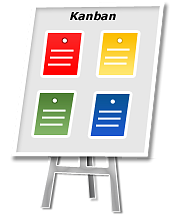
Task Manager displays tasks in a SharePoint Tasks
list as color-coded cards. This reveals bottlenecks and
blockers and shows how projects progress.
In the Kanban view, the task cards are grouped
by status phases and in lanes. The lanes can be used
for any parameter.
In the 7 Habits view the task cards are grouped
in four quadrants by importance and urgency in an Eisenhower
matrix style.
The task cards can be dragged and dropped between phases,
lanes and quadrants.
Kanban Task Manager uses as much standard SharePoint
features as possible, so it is easy to understand and use.
New tasks can be created directly from the Kanban Task
Manager views.
Key features
Tasks for multiple projects can be displayed
in the same view.
Filter tasks by priority, project and responsible
and, if enabled, also by a custom field.
Search of both subjects and body texts of
the tasks.
Switch Tasks list to be displayed in Kanban
Task Manager.
Visual indicators for Priority, Assignment,
Overdue status and % completed on the task cards.
Grid view for detailed task info.
Customization possibilities
Set WIP (Work-In-Progress) limits for phases
and lanes, to give a warning when the predefined number
of tasks is exceeded..
Configure number of columns per phase to
optimize the use of screen space..
Create custom parameter that is added to
tasks, filters and views.
Rename any parameter.
Create task checklists.
Use Time logging with automatic summation for each task.
Editions
Kanban Task Manager comes in two editions: Client-side
web part and Sandboxed Solution. Both support SharePoint
Online as well as SharePoint On-Premises.
The editions have the same features and version number,
but they are installed in different ways. Both are included
in the subscription and can be used and combined freely
within the subscribing organization.
Languages
The Kanban Task Manager language is automatically
set to the same as the SharePoint site language.
Supported languages are: Arabic, Danish, Dutch, English,
French, German, Italian, Norwegian, Portuguese, Spanish
and Swedish.
When the SharePoint site has another language, Kanban
Task Manager will be in English.