Book resources by creating events in SharePoint calendars
Familiar process for reserving all kinds of resources
Use
Calendar Browser to manage the booking of corporate
resources, such as rooms, cars or people. Calendar Browser
shows an overview of all calendars/events apps in a site
and of all events in them, which makes it easy to see availability
and scheduling.
Users can create and modify events directly from the overview.
This saves time, because there is no need to open individual
calendars.
When each calendar represents a specific resource, management
and booking becomes easy, and for users already familiar
with SharePoint, it is very easy to learn how to book resources
with Calendar Browser.
Edit permission on the Calendar Browser site is needed
for booking, so only authorized users can make reservations.
As Calendar Browser takes all calendars in the site,
it is suitable to use a specific Calendar Browser
site for the resource calendars and give all users who need
to book resources Edit permission on that site.
Bigger organizations might need multiple Calendar Browser
sites for different types of resources. A common navigation
makes it easy for users to move between the Calendar
Browser sites.
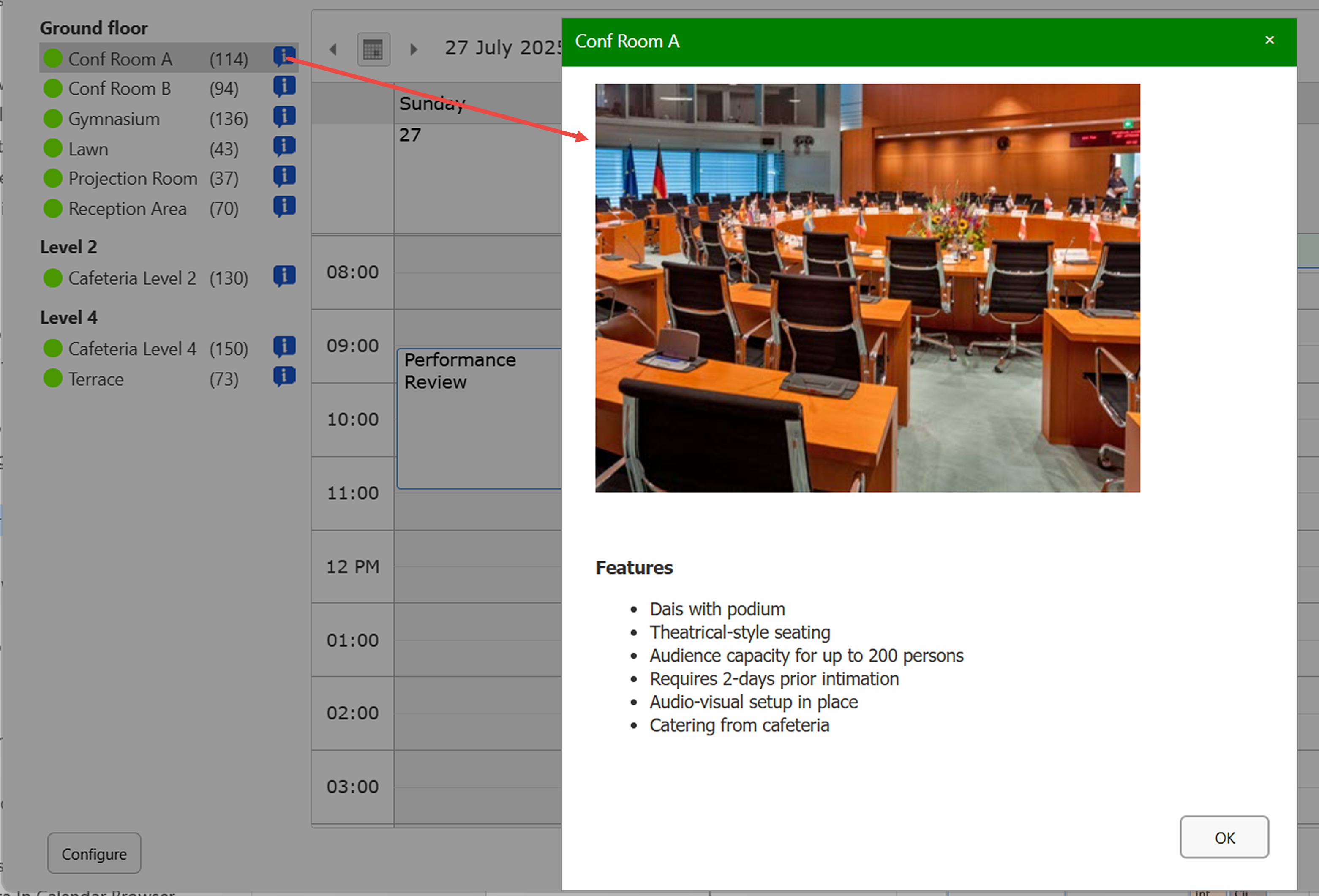
Resource descriptions can be created. Users only
need to click on a button to see a description of the selected
resource. This helps them to quickly understand which resource
is most suitable for each purpose.
Additional services like catering services, conference
material or IT equipment can be ordered with each booking.
This streamlines the event planning beyond just reserving
a resource.
Users may tie each booking to a color coded category
(for example project, person, unit or customer), which makes
it easy to track and analyze bookings.
In the settings, you can adapt Calendar Browser to
your organization:
Languages
The Calendar Browser language is automatically set
to the same as the SharePoint site language.
Supported languages are: Arabic, Danish, Dutch, English,
French, German, Italian, Norwegian, Portuguese, Spanish
and Swedish.
When the SharePoint site has another language, Calendar
Browser will be in English.