Contact kalmstrom.com Business Solutions
The solutions of kalmstrom.com are designed to be easy to
deploy, use and manage. However, if you have any kind
of problem with or questions about our software, there are
several ways of contacting us:
|
We normally operate Monday to Friday 09:00 AM to 5:00 PM
UTC. At other times, one of us is usually online too, but
we cannot give the same service.
Current time is: X UTC
If you contact us by e-mail you are very welcome to send
screenshots. They can often explain the problem,
but please avoid big BMP files.
Currently we do not assist Russian evaluators of our products,
and we do not offer any services to Russian companies. You
are very welcome back as soon as Russia has left Ukraine.
|
Languages:
|
|
|
| We understand: |
Dansk |
We can answer
in: |
|
| |
Deutsch |
|
English (good) |
|
|
English |
|
Español (buen) |
| |
Español |
|
Svenska (perfekt) |
| |
Français |
|
|
|
Norsk |
|
|
| |
Svenska |
|
|
webmaster
"You have been extremely responsive and helpful, and
we so very much appreciate your great customer service.
Thank you all!"
Kathy Ashley, Southwest Washington Workforce Development
Council
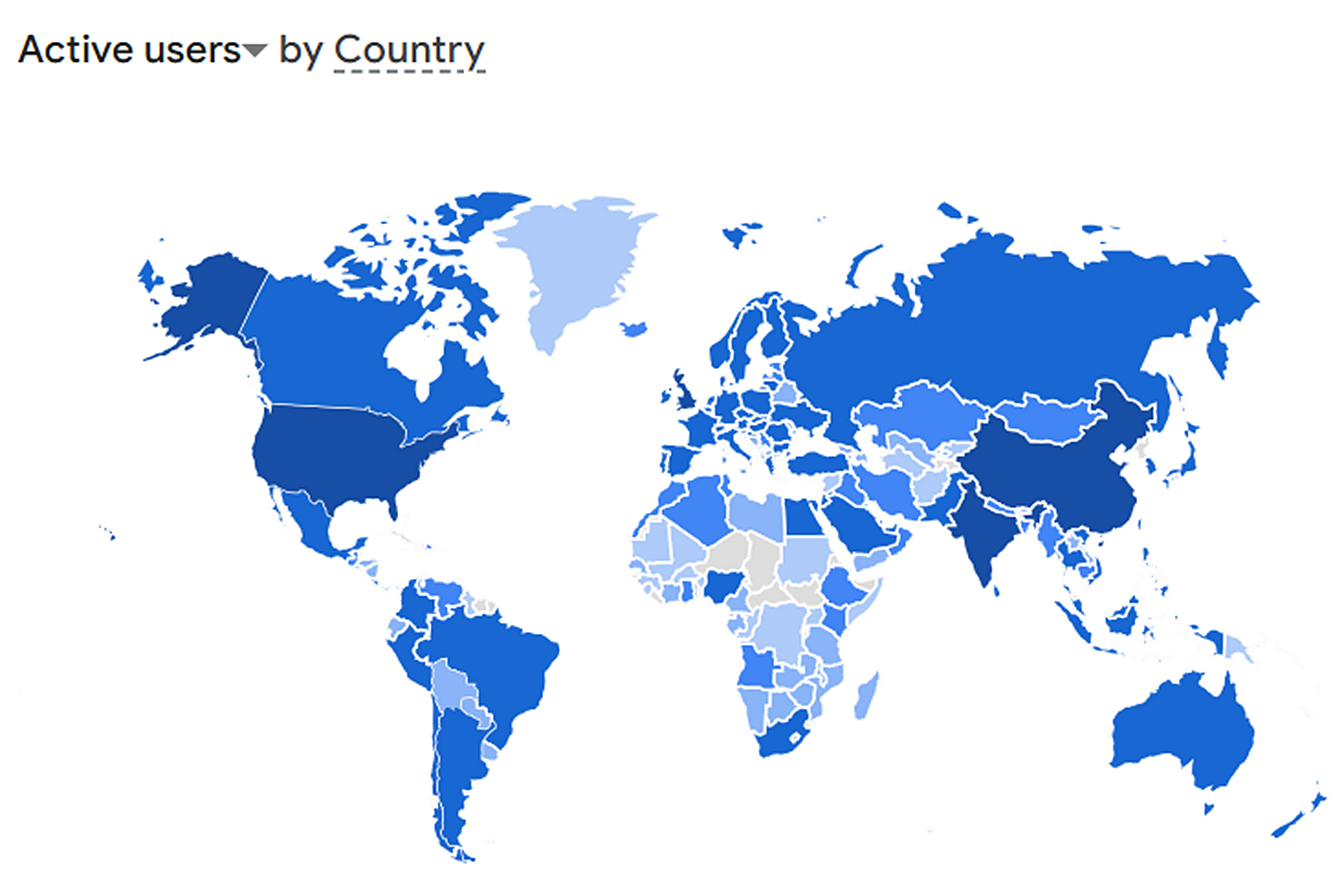
Website statistics shows kalmstrom.com users worldwide
|
|



 Kalmstrom
Enterprises AB is the family run company behind the brand
kalmstrom.com Business Solutions.
Kalmstrom
Enterprises AB is the family run company behind the brand
kalmstrom.com Business Solutions. 